Baby Blue Breeze: my day off turned into a VS Code theme
I couldn’t find a baby blue VS Code theme that felt right, so I built my own. Baby Blue Breeze is now on the VS Code Marketplace!
Today is my day off, and somehow I ended up working on a little project. :D
While looking for a baby blue theme for VS Code, I realized how much time I had already spent searching. I had tried many blue themes, but none of them felt quite right.
So I thought, “Why not create my own?”
That’s how Baby Blue Breeze started—a light VS Code theme with soft baby blue colors and clear navy text.
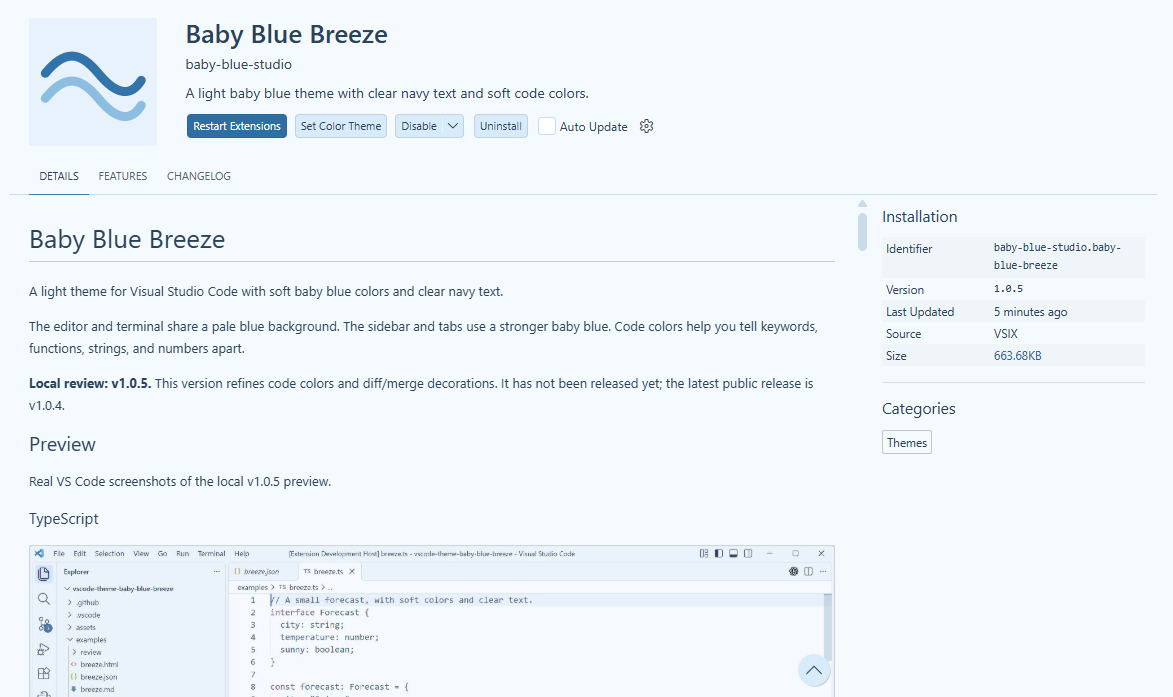
It started with something small: I wanted my editor to feel a little more like me. Now I have something I can share with other people, too.
Now on the VS Code Marketplace!
I’ve published Baby Blue Breeze on the VS Code Marketplace! What started as a little project on my day off is now something you can install directly in your editor. :D
You can install Baby Blue Breeze from the Marketplace, or search for Baby Blue Breeze in the Extensions tab in VS Code. After installing it, open Preferences: Color Theme from the Command Palette and choose Baby Blue Breeze.
I hope you enjoy it, and I’d love to hear what you think!